English

ADY Alert helps individuals and families stay connected before, during, and after the moments when knowing someone is safe matters most.
There is no employer, organization, or government administrator controlling your personal account.
Create a trusted network of Emergency Contacts, share status and location when appropriate, protect children and dependents, stay connected during Activities and travel, request help without turning every situation into an emergency, and keep the people who care about you informed without constantly calling or texting them.
ADY Alert for Individuals & Families is not an institutional edition that can be turned on or off by an employer, organization, or government.
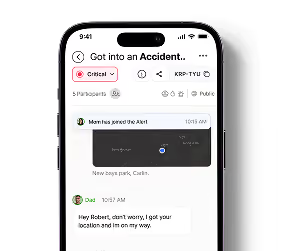

ADY Alert does not require you to create different accounts for different parts of your life. You have one personal ADY identity.That same account can stay with you as your life changes.You may use ADY only for yourself today.
Those relationships can change. Your underlying ADY identity does not.
ADY for Business, Organizations, and Government can add relationships and context to your account.They do not replace your personal account.
Your employer may know you are working.Your organization may know you are attending an Activity.A government agency may know you are relevant to an authorized emergency.But your personal ADY account continues to exist independently.Your family relationships remain yours.Your personal history remains yours.Your Emergency Contacts remain yours.Your memories remain yours.Institutions participate in your life through defined relationships. They do not own your identity.
Individuals & Families is the user’s always-available personal ADY experience.Within that personal experience, a user may also maintain personal personas for different phone numbers or contexts.
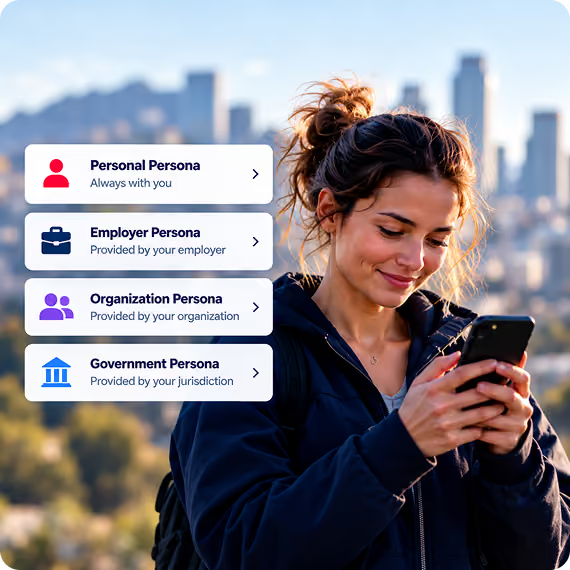
Institution-managed personas are different: they are added by participating institutions on top of the same lifetime ADY identity.Your personal ADY account and personal personas are yours to manage. Institutional personas work differently.
ADY for Business, Organizations, and Government can add an institution-sponsored persona to your existing ADY identity. Use of that persona requires the institution to fund and actively manage the relationship, and it remains available only while you continue to qualify for it.You cannot simply create an institutional persona and claim that you work for a business, belong to an organization, or are a resident of a government jurisdiction.
Business affiliation is established through a corporate-domain email OTP and the employer-maintained employee roster.Organization membership is established through the organization-maintained member list.Government resident membership is established through a valid resident Place within the jurisdiction.When an institutional relationship ends, the institution can remove access to its persona and institutional connection. Your personal ADY account, personal relationships, Emergency Contacts, history, and memories remain yours.
ADY Alert for Individuals & Families has no institution administrator, no central cloud dashboard, no centrally controlled personas, no unified central management, and no institution-wide reporting.Your personal network is controlled by you and by the individual relationships you choose.
Central dashboards, managed institutional personas, institution-specific rules, centralized reporting, and system integrations are features of ADY for Business, Organizations, and Government—not the Individuals & Families edition.

Emergencies rarely affect only one person.
When something happens, the people who care about you often need to know
Instead of manually contacting people one at a time, ADY can notify the trusted people you have selected.
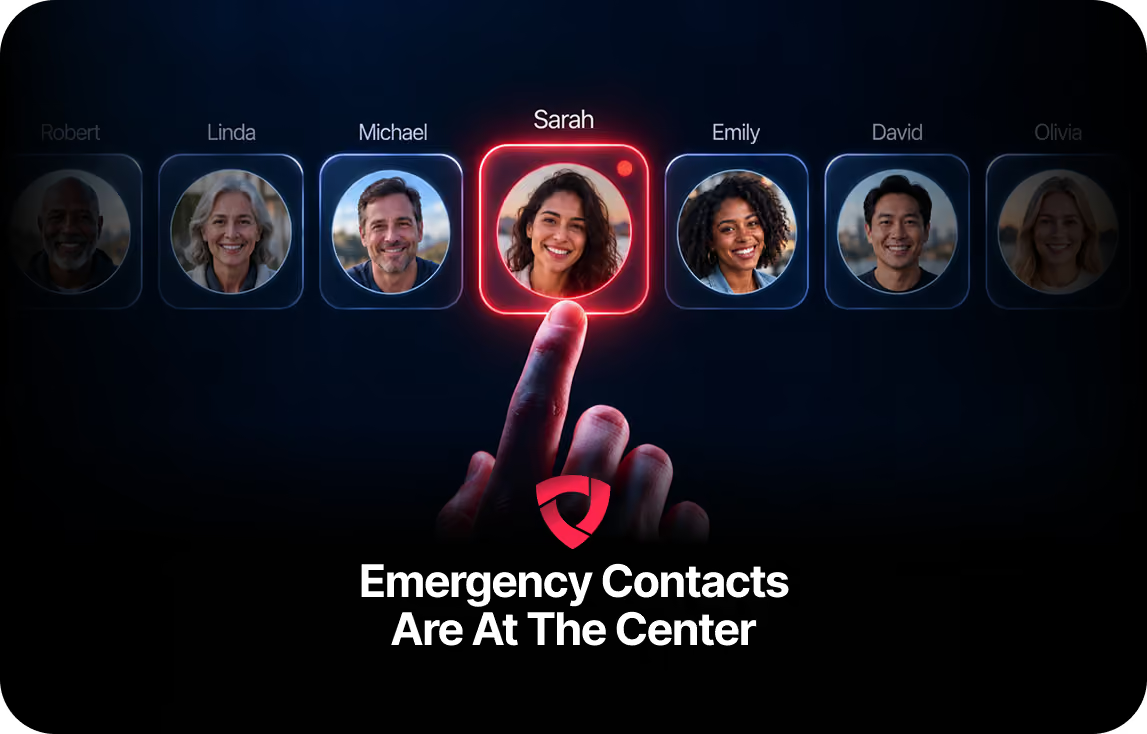
ADY Emergency Contacts are the trusted people you want involved when something goes wrong.

When appropriate, Emergency Contacts can receive information such as: Your Alert, Your status, Relevant location, Updates, Whether you need assistance, Whether the event has been resolved

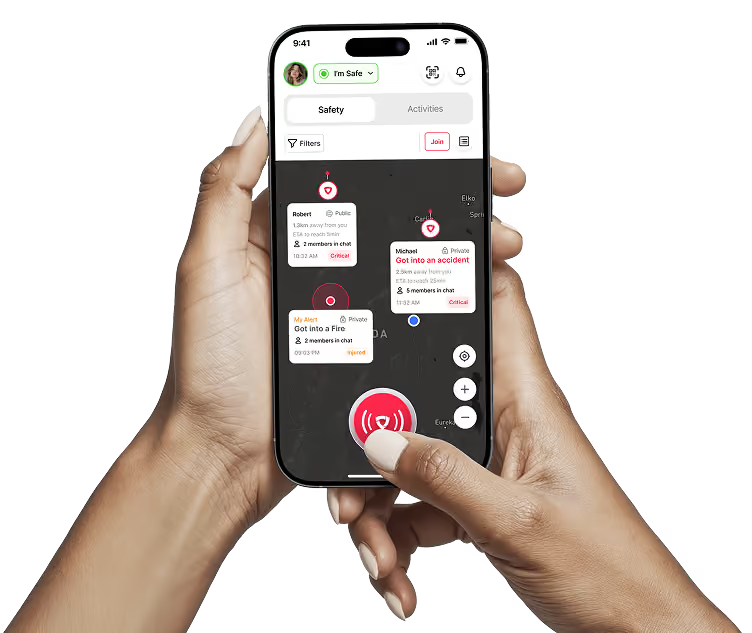
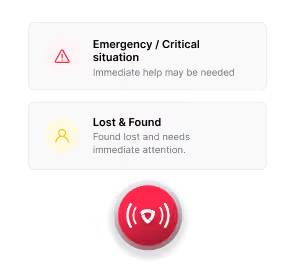
ADY Alert gives you a fast way to create an emergency Alert and notify your trusted network.
ADY does not replace 9-1-1 or local emergency services.
For immediate life-threatening emergencies, contact emergency services first whenever possible.ADY helps make sure the people around you are informed and able to support you as well.
There is a large gap between: “Everything is fine.”and“Call 9-1-1.”
Sometimes you see something that does not feel right.You may not need immediate assistance.You may simply want to document or communicate a concern.
ADY Alert can also help with lost and found situations.
ADY can connect a lost or found report to the people and Things involved.
As more Things become connected to ADY through QR, NFC, and ADY Things records, Lost & Found can become increasingly useful. Not every safety problem involves an injured person. Sometimes the problem is simply getting something important home.
Safety is not only about where your phone happens to be.The people, Places, and Things connected to you all matter.

Your family, Emergency Contacts, children, dependents, caregivers, friends, and trusted relationships.

Your home, second residence, school, workplace, frequently visited locations, family homes, and other Places important to you.

Vehicles, pets, equipment, devices, tools, and other items that matter to your life.
You may have more than one Place that matters.
You may live in one city and own a second home somewhere else.
Your child may be at school.
Your parent may live across town.
Your workplace may be closed because of an incident.
A wildfire near your house still matters even when you are hundreds of miles away.
But the message you need is different from the message someone physically inside the evacuation zone needs. ADY can help make that distinction.
You may need information immediately.
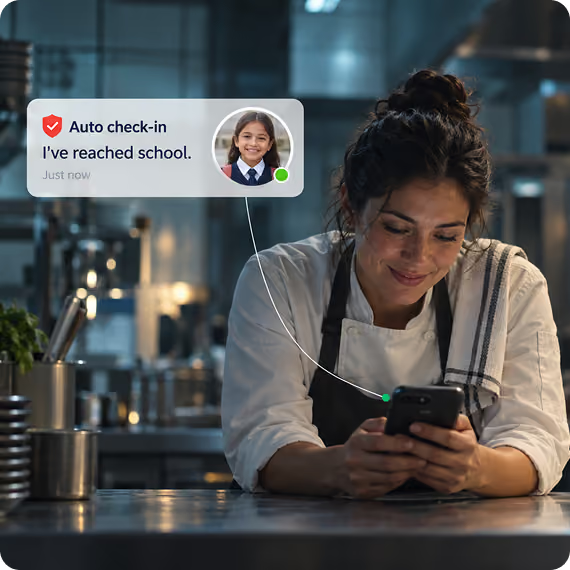
ADY can connect parents and guardians to children and dependents without requiring every child to have their own phone.

ADY can allow an authorized parent or guardian to maintain appropriate information and relationships for those people.That means your family’s safety network does not stop simply because someone does not carry a phone.

Families spend enormous amounts of time asking simple questions.ADY can reduce the need for repetitive status calls and texts.With appropriate permissions, family members can receive useful updates automatically.
Not every safety situation begins with an emergency.Sometimes you simply want people to know what you are doing and when you expect to be back.
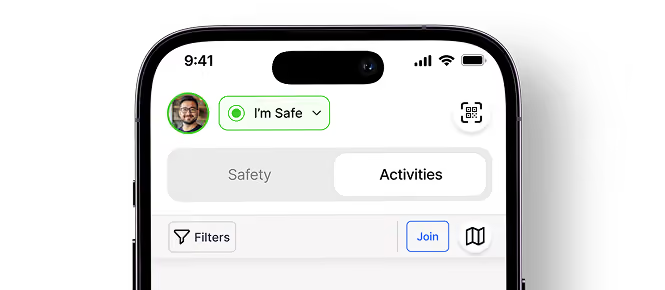






Activities can be scheduled or started immediately.
An ADY Activity can provide more than location or status.Safety is part of the experience without requiring the Activity to feel like an emergency. And when it is over, the people who participated can keep the memories.

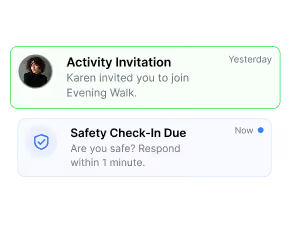
Sometimes the most important question is “Are you safe?”. Safety Check-In gives people a simple way to answer. A Safety Check-In is different from creating an Alert. It is a structured way to quickly understand everyone’s status.

ADY lets people build relationships without requiring them to expose their entire identity or personal history.
Not every person needs access to everything.
ADY relationships can provide the right level of connection for the situation.
Some people maintain separate numbers for different parts of life.



ADY can treat those phone numbers as separate personas while still maintaining the underlying account relationship where appropriate. That allows your connections to stay attached to the persona through which they were created.
ADY Alert for Individuals & Families begins with the individual. There is no central institution controlling your personal account. You decide what you share and with whom, subject to the features and relationships you choose to participate in.

Your personal profile is not automatically exposed simply because you connect with another person.

Location can be shared when appropriate rather than becoming permanent public information.

Your family structure does not become visible to everyone you connect with.
Different parts of your life can remain appropriately separated while still belonging to the same underlying identity.

The institution receives only the information made available within that persona and relationship; it does not gain control of your personal ADY account.

Where appropriate, access to sensitive information can be logged.
Your relationships may change. Your history grows. Your ADY identity stays with you. That gives ADY the ability to build trust and context over time.

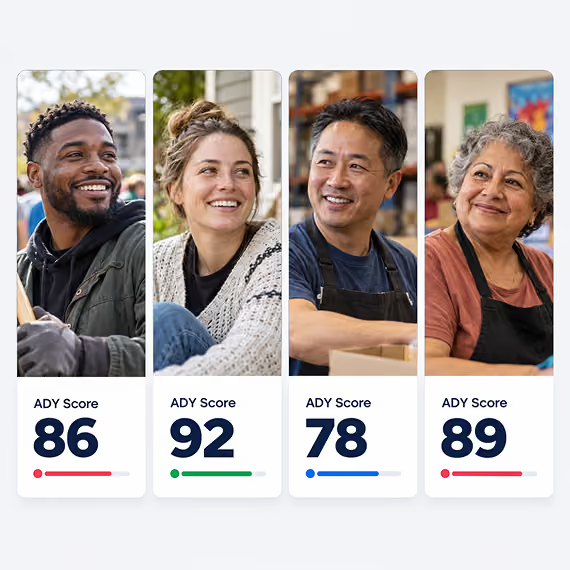
The goal is not to decide whether someone is a “good” or “bad” person.
The goal is to provide context based on behavior.

ADY can connect those relationships without forcing you to create a different identity for each one. That is what allows the same ADY Alert application to work across Individuals & Families, Business, Organizations, and Government.
If your employer uses ADY Alert for Business, you still have your family.If your organization uses ADY Alert for Organizations, you still have your personal Emergency Contacts. If a government agency uses ADY Alert for Government, you still control your personal relationships. Institutional participation adds another layer of communication and protection. It does not erase the relationships you already have. That means an employee can stay connected to family while working. A family member can know someone is safe during organization travel. A parent can receive school-related information. A resident can receive government emergency information. All through the same personal account. More institutions can help protect you. They do not replace the people who matter most.
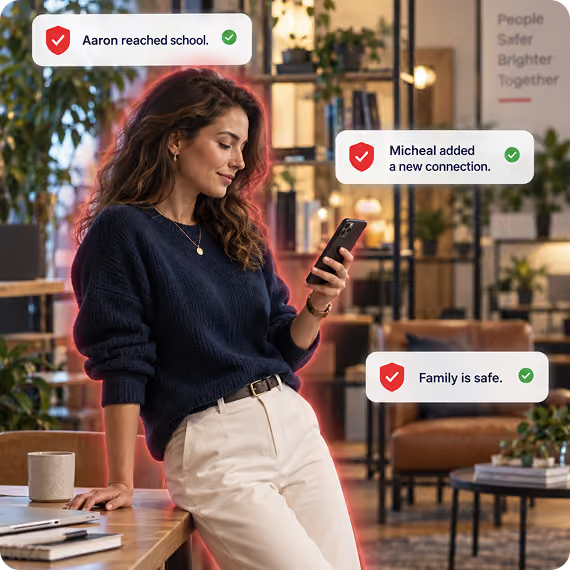
Your ADY account is not limited to your home.
ADY cannot prevent every emergency.
It cannot guarantee that nothing bad will happen.
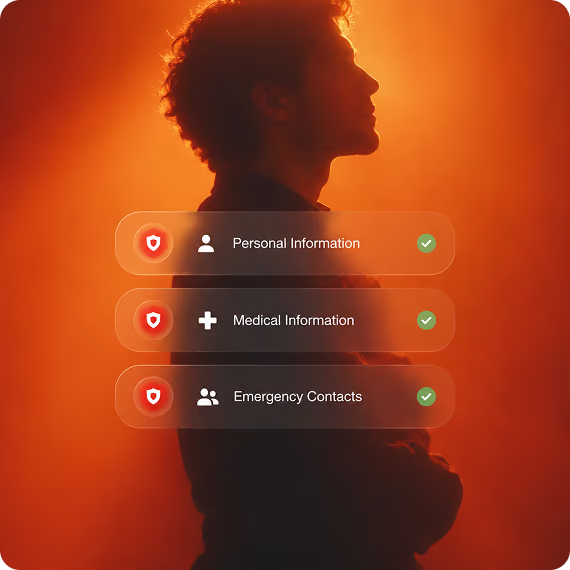

Your phone number establishes your initial ADY persona and begins the account setup process.

Manage your primary device and additional supported devices connected to your account.

Set up your email and PIN so you can protect and recover your account.

Add the information you choose to use across ADY.

Connect the locations that matter to you.

Add vehicles, pets, equipment, and other Things that may matter to your ADY life.

Build the relationships that make up your trusted network.

Connect children and other dependents to the appropriate guardian relationships.

Configure how different phone numbers or personal contexts represent you. Institution-managed Business, Organization, and Government personas are activated separately when you qualify for and participate in those institutional relationships.

Invite and confirm the people you want involved when something goes wrong.

Connect compatible ADY QR, NFC, and supported active devices where appropriate.

Create Alerts, request Assistance, report Concerns, use Lost & Found, connect with people, and create Activities from the same ADY ecosystem.
ADY Alert is designed to be useful when something goes wrong. But the system becomes more valuable when it is already part of everyday life.
That means when a real emergency happens, you are not trying to build your safety network for the first time. It is already there.

Bring your family, Emergency Contacts, Places, Things, and Activities into one trusted safety ecosystem.
Create a trusted network of Emergency Contacts, share status and location when appropriate, protect children and dependents, stay connected during Activities and travel, request help without turning every situation into an emergency, and keep the people who care about you informed without constantly calling or texting them.
ADY Alert helps employers understand workforce status, communicate during emergencies and disruptions, support employees wherever work takes them, and coordinate response without forcing employees into a separate safety application.
At the same time employees remain connected to the people who matter most to them.
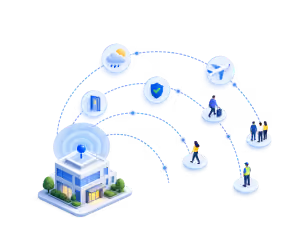
Employees continue using the same ADY Alert account and application they use in their personal lives. Every employee using ADY Alert for Business is first and always an ADY Alert for Individuals & Families user. ADY Alert for Business adds an employer-funded Business Persona on top of that personal foundation, along with a secure institutional cloud dashboard, centralized management, ADY-supported integration with approved current systems, and the controls, permissions, teams, locations, travel context, and operational visibility the employer needs.
ADY-supported integration with approved current systems, and the controls, permissions, teams, locations, travel context, and operational visibility the employer needs.


Every ADY Alert for Business employee keeps the Individuals & Families edition as their permanent personal foundation. The Business Persona does not replace, convert, or suspend the employee’s personal ADY experience. It is an additional employer-funded and employer-managed persona layered on top of the same lifetime ADY identity.
The employee can use their personal ADY experience at all times. When the employee enters the Business Persona, the employer's disclosed business rules, permissions, communications, and work-context visibility apply with the employee's knowledge and permission.
If current employment ends or the employer removes the employee from its maintained roster, the Business Persona and business connection are removed. The person’s Individuals & Families account, family network, personal history, other personas, and memories remain unchanged.


ADY Alert does not require employees to create a separate work account or install a separate employer application.
Every person keeps the same ADY identity, the same ADY Alert application, and the same always-available Individuals & Families experience. The Business Persona is an additional managed context inside that same ecosystem.
ADY Alert for Business changes the backend - not the person.
Employees receive the same familiar ADY Alert experience while employers receive the additional tools needed to manage the workforce.
Employees do not self-declare that they work for a business inside ADY. The Business Persona is funded and managed by the employer and is available only while the employment relationship remains current.
A current employee establishes the Business Persona by verifying a current corporate-domain email address through OTP. The business also provides and maintains its current employee roster on ADY servers so ADY can keep the institutional relationship synchronized with the employer's records.

When a former employee is removed from the employer-maintained roster, access to the Business Persona and the ADY connection to that business are removed as well. The person's personal ADY account and non-business relationships remain unchanged.
This prevents former employees from continuing to represent themselves in ADY as current employees after that relationship has ended.
The business receives its own secure ADY cloud login and centralized dashboard. This is the institutional management layer that does not exist in ADY Alert for Individuals & Families.
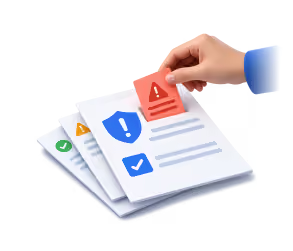
From the dashboard, authorized business users can manage current employee eligibility, teams, locations, roles, permissions, Business Persona policies, communications, Safety Check-Ins, reports, incidents, program analytics, and other business-scoped information.
ADY works with the employer to integrate approved current systems so employee eligibility and relevant operational data can connect to ADY without requiring the business to manage a completely separate safety database. Integration scope depends on the systems involved, available interfaces, security requirements, and the agreed implementation.

When an employee is using the Business Persona, the employer can apply disclosed business-specific rules, requirements, permissions, and workflows that the employee knows about and has agreed to as part of using that persona.
The employer can communicate through the Business Persona and can see information the employee makes available within that persona and authorized work context. Those rights do not extend into the employee's personal or family personas.

An employer needs enough information to protect employees and operate the business. It does not need access to an employee's entire private life. ADY creates a clear boundary between the employee's Business Persona and their personal and family relationships.
During authorized work contexts, the employer can receive appropriate work-related information such as:
The employer does not receive unrestricted access to the employee's personal ADY account.
And it does not receive the identities, locations, conversations, or private information of the employee's family simply because that employee works for the company.
The employer sees information appropriate to the employee's work relationship.
The employer sees what it needs to protect people and coordinate operations.
The employee maintains their personal ADY experience.
Work does not disconnect the employee from the rest of their life.
With the employee's permissions, family members can receive appropriate information about the employee's safety.
The family does not receive the employer's confidential business information.The employer does not receive private family information.Everyone receives the information appropriate to their relationship.
Give your team better communication, better workforce visibility, stronger coordination, and greater peace of mind—without sacrificing employee or family privacy.
ADY Alert for Organizations helps nonprofits, churches, clubs, associations, youth groups, volunteer groups, sports organizations, community groups, and other membership-based organizations protect their people wherever they gather, travel, meet, or serve.
Unlike ADY Alert for Government, participation is not based on jurisdiction.Unlike ADY Alert for Business, participation is not based on employment.It is based on voluntary membership.
Members keep using the same personal ADY Alert account and app they use every day. Every organization member is first an Individuals & Families user. ADY Alert for Organizations adds an organization-funded Persona, a secure institutional cloud dashboard, centralized membership management, ADY-supported integration with approved existing systems, and the permissions, Places, Activities, alerts, coordination tools, and organization-level visibility needed to protect the group.
Connect your members, coordinate activities, support travel, and give organizations the tools they need to keep people informed, connected, and safe.

Every ADY Alert for Organizations member keeps the Individuals & Families edition as their permanent personal foundation. The Organization Persona does not replace or suspend the member's personal ADY experience. It is an additional organization-funded and organization-managed persona layered on top of the same lifetime ADY identity.
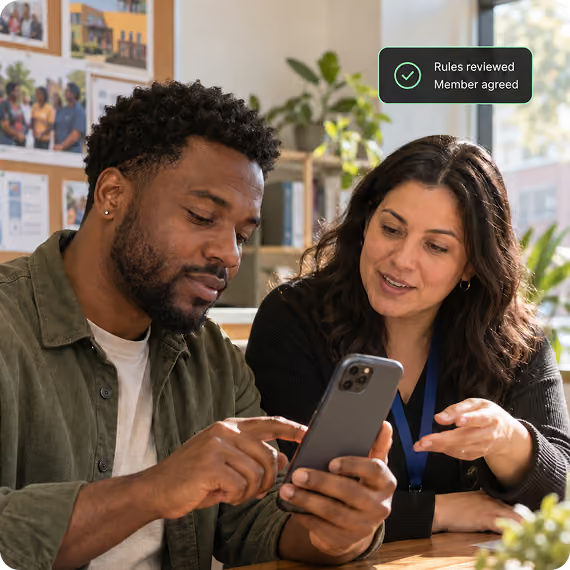
The member can use their personal ADY experience at all times. When the member enters an Organization Persona, that organization's disclosed rules, permissions, communications, and organization-context visibility apply with the member's knowledge and permission.
A person can belong to multiple participating organizations at the same time and therefore can have multiple Organization Personas, each separately funded and managed by the organization that established it.
If membership ends or the organization removes the person from its maintained eligibility list, that Organization Persona and connection are removed. The person's Individuals & Families account, personal relationships, history, other personas, and memories remain unchanged.

Organizations are different from governments and employers.A government relationship is usually based on jurisdiction.A business relationship is usually based on employment.An organization exists because people choose to participate.

A church may have members, volunteers, staff, youth groups, visiting families, and event attendees.
A sports organization may have players, coaches, volunteers, parents, officials, and spectators.
May have members, volunteers, donors, staff, participants, and community partners.
A club may meet every week at the same location or may travel together across the country.
ADY can adapt to the organization instead of forcing the organization into a rigid safety model.
Members do not need to install a special organization application or create another identity.
They continue using the same ADY Alert application, the same lifetime ADY identity, and the same always-available Individuals & Families experience they use everywhere else.
ADY Alert for Organizations adds the organization relationship and backend coordination layer.
Members do not self-declare membership inside ADY. The Organization Persona is funded and managed by the organization and is available only while the person remains a current member on the organization-maintained eligibility list.
The organization establishes the member list that controls eligibility. That list is uploaded to and maintained on ADY servers so the Organization Persona can stay synchronized with the organization's current membership records.
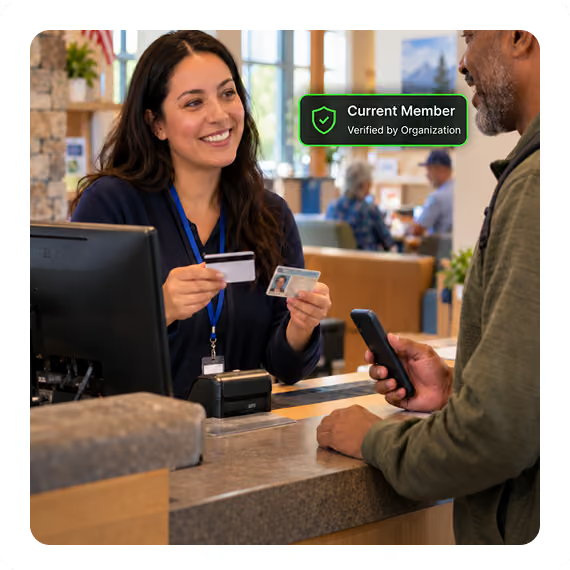
When a former member is removed from the organization-maintained list, access to the Organization Persona and the ADY connection to that organization are removed as well. The person's personal ADY account and relationships outside the organization remain theirs.When a former employee is removed from the employer-maintained roster, access to the Business Persona and the ADY connection to that business are removed as well. The person's personal ADY account and non-business relationships remain unchanged.
This prevents former members from continuing to represent themselves inside ADY as current members after the organization relationship has ended.
The organization receives its own secure ADY cloud login and centralized dashboard. This is the institutional management layer that does not exist in ADY Alert for Individuals & Families.
Authorized organization administrators can manage member eligibility, chapters, groups, Places, Activities, events, travel, roles, permissions, Organization Persona policies, communications, Safety Check-Ins, reports, incidents, and aggregate program analytics.
ADY works with the organization to integrate approved current membership and operational systems so current members and relevant program information can connect to ADY and remain synchronized where supported. Integration scope depends on the systems involved, available interfaces, security requirements, and the agreed implementation.

When a member is using the Organization Persona, the organization can apply disclosed organization-specific rules, permissions, and workflows that the member knows about and has agreed to as part of using that persona.
The organization can communicate through the Organization Persona and can see information the member makes available within that persona and authorized organization context. Those rights do not extend into unrelated personal, family, work, government, or other organization personas.
A person may belong to many organizations at the same time.
ADY does not require that person to create a new account for every relationship.The person has one ADY identity for life. Organization personas and membership relationships provide context around how that person participates.ADY can connect a lost or found report to the people and Things involved.
Each organization sees only the information appropriate to its relationship with that member. When the relationship ends, the organization can remove access to its organization layer. The person's ADY identity remains theirs.
Many organizations do not have a security department.They do not have an emergency operations center.They may not even have someone formally responsible for safety.ADY is designed for that reality.
Many organizations do not have a security department.They do not have an emergency operations center.They may not even have someone formally responsible for safety.ADY is designed for that reality.
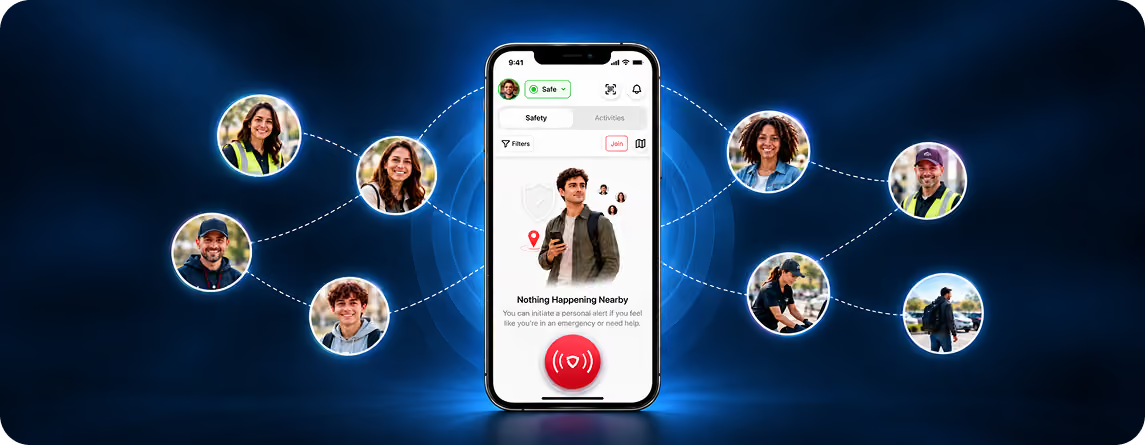
Give your members better communication, better safety, stronger coordination, and the ability to help one another—without requiring your organization to build an emergency infrastructure of its own.
Specific capabilities, data visibility, integrations, and response workflows may vary by plan, device support, user permissions, institutional configuration, jurisdiction, and applicable law. ADY is designed to provide the appropriate information to the appropriate people while preserving the privacy and role boundaries described throughout this page.
ADY Alert for Government helps municipalities, counties, states, and countries communicate with and coordinate the people within their jurisdiction, understand what is happening in real time, and respond with far more context than traditional phone- and address-based systems can provide.
The public continues using the same ADY Alert account and application they already know. Government does not create a separate identity or require people to maintain another government app.
Eligibility is based on the person's relationship to the jurisdiction—not membership in a government-managed list. A registered ADY Place within the jurisdiction provides ongoing Government-sponsored Premium access. Someone without a registered Place receives Government-sponsored Premium while their GPS shows they are physically within the participating jurisdiction—including visitors from another city, state, or country.
Give governments the tools to understand what is happening across their community, communicate with the right people, coordinate services and response, and create a safer and more connected place to live, work, visit, and gather.

Every person continues using their personal ADY Alert account. Government does not replace, control, or manage that identity.ADY Alert for Government determines Government-sponsored access through the person's connection to the jurisdiction.
A person with a qualifying Place registered in ADY Places within the participating jurisdiction receives ongoing Government-sponsored Premium access for as long as that Place remains registered and eligible.
A person without a qualifying Place receives Government-sponsored Premium while GPS confirms they are physically within the participating jurisdiction.That means a visitor from another state or even another country can receive ADY Premium protection while visiting an ADY-enabled city.
Government eligibility does not require a Government Persona, resident membership list, or separate account.Schools, clubs, associations, and other membership-based groups are served through ADY Alert for Organizations. Government employees are managed through ADY Alert for Business based on their employment relationship.
ADY Alert does not require people to install a separate government application or create another identity.
People continue using the same personal ADY account and ADY Alert application they use for themselves and their families. ADY Alert for Government changes what government can see and coordinate on the backend not who the person is.
ADY Alert for Government creates the authorized community-level visibility needed to understand what is happening across the jurisdiction, communicate with the right people, coordinate services and events, recognize developing situations, and respond when people need help.
ADY Alert for Government does not require the public to maintain a Government Persona or appear on a government-managed membership list. The jurisdiction itself determines when Government-sponsored ADY Premium applies.
The participating government receives its own secure ADY cloud environment and centralized management dashboard.

People do not live their lives inside a single jurisdiction.Someone may live in one city, own property somewhere else, work in another community, belong to several organizations, travel frequently, attend events in other cities, and visit other countries.
ADY keeps the person's identity consistent while understanding why different Places and jurisdictions may matter to them.
Business relationships are based on employment and are handled through ADY Alert for Business.
Organization relationships are based on membership and are handled through ADY Alert for Organizations.Government relationships are based on jurisdiction through registered Places and physical presence.
That allows each ADY product to solve the problem appropriate to that relationship without forcing the person to create another identity.
Government participation does not give a jurisdiction unrestricted access to someone's personal ADY account, family relationships, private conversations, or unrelated activity.
Authorized government users receive the information appropriate to their government role, the participating jurisdiction, the situation, applicable permissions, and applicable law.
The purpose is to give government enough visibility to better serve and protect the community without turning a public-safety system into unrestricted access to someone's private life.

Traditional government communication often begins with a phone number, mailing address, 9-1-1 call, or someone manually reporting a problem.
That does not always tell government who is actually there, who has property there, who may be affected, whether visitors are involved, where a problem may be developing, or who needs help.
ADY adds the missing context.
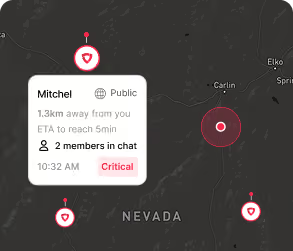
Government can better understand where Alerts are occurring, which Places may be affected, where Concerns are beginning to cluster, who may need assistance, and what resources may need to respond.
People do not always have to recognize that a larger problem exists before government can begin seeing the pattern.

Give your community better protection, better communication, better visibility, and better coordination—while creating another reason for people to choose your jurisdiction as a place to live, work, visit, own property, and bring their Activities.
Specific capabilities, data visibility, integrations, and response workflows may vary by plan, device support, user permissions, institutional configuration, jurisdiction, and applicable law. ADY is designed to provide the appropriate information to the appropriate people while preserving the privacy and role boundaries described throughout this page.